
How to Claim Your ChatGPT Business Profile: What to Expect
OpenAI launched Businesses in ChatGPT in beta on November 10, 2026. If you’ve asked ChatGPT for a recommendation, like a web designer near you or where to buy something, you’ve seen it name businesses and link to their websites. Until now, those businesses had no say in that information. ChatGPT pieced it together from websites, listings, and other sources across the web.
Business Hub gives businesses a seat at the table. It works a lot like a Google Business Profile, but for ChatGPT. Once you claim and verify your business, you can:
- Correct and fill in your details, such as your description, category, contact information, hours, and photos.
- See how often ChatGPT mentions your business, how many people view your profile, and how many click through to your website.
- Add products with pricing and availability, if you sell online.
There’s no cost to claim a profile. It won’t buy you better placement, but it gives ChatGPT accurate information to work from and offers a first look at how your business shows up there.
I went through the setup for Roe Digital this week. It involved verifying our domain, uploading my driver’s license, and completing a face scan. Here is what the process looked like for us and what to know before you start.
Prefer to watch? This video walks through our claim and what to expect before you start yours.
How to claim your business in ChatGPT
- Open ChatGPT Business Hub and sign in. Choose the account you intend to use to manage the business.
- Search for your business and select the correct listing. If it isn’t listed, eligible online businesses may see an option to add it. Local stores and restaurants currently can claim only existing U.S. listings.
- Verify your connection to the business. Available methods may include a business phone, business email, website domain, or Shopify store.
- Complete identity verification through Persona. Follow the prompts for your application. Our process required my driver’s license and a face scan.
- Check the approval status and review your details. OpenAI requires approval of both the claim and Persona verification before you can publish updates and use insights.
The person claiming the business can be its owner or an authorized representative. If others will help manage it, invite them through Business Hub using their own accounts.
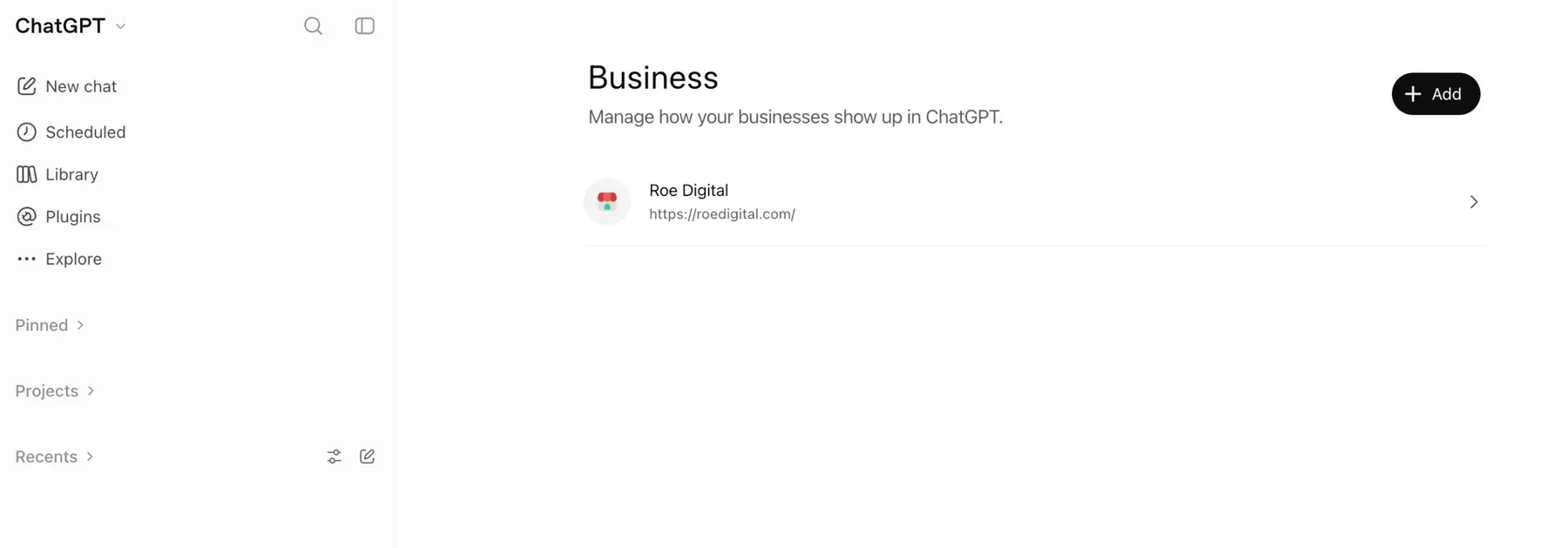
What to expect during ChatGPT business verification
We used domain verification, which meant adding a TXT record to the DNS settings for roedigital.com. That part was confirmed almost immediately. If your web company manages your DNS, it can help with this step.
The identity check ran through Persona. I uploaded the front and back of my driver’s license, then followed the instructions for a face scan.
While that was our experience, OpenAI may ask another business for different documents or steps, so read each prompt carefully as you go.
How long does ChatGPT business verification take?
Roe Digital was verified fairly quickly. I did not track the exact time, but our profile showed the blue verification check within about an hour of completing the process.
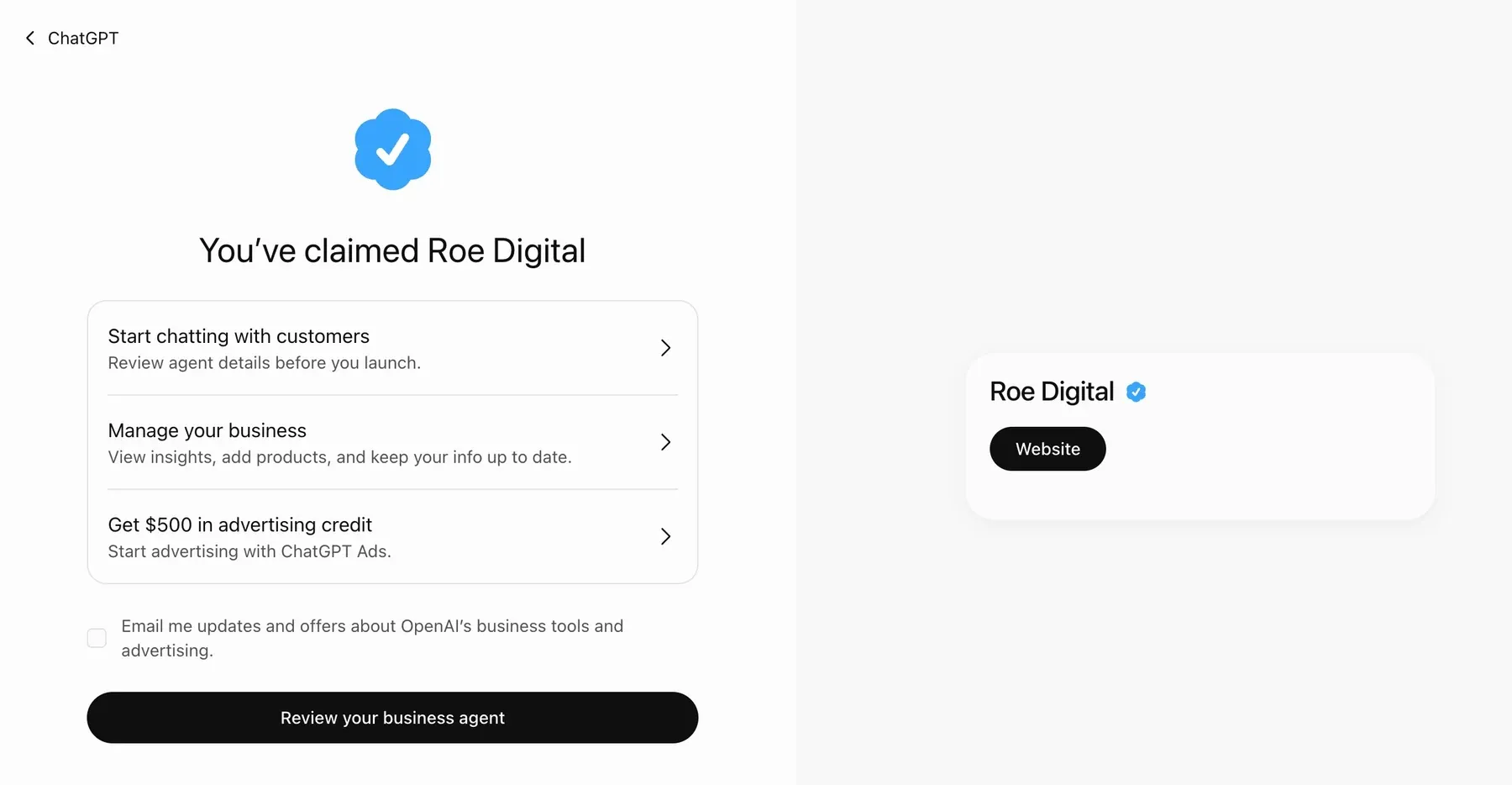
Your timing may be different. OpenAI says review times vary.
What you can add to your ChatGPT business profile
Our setup included fields for:
- A business category and description.
- Phone number, business email, and website.
- Photos, location, hours, and time zone.
- Products, where applicable.
- Additional administrators.
In our account, the category field allowed one selection. I would choose the closest match and use the description to explain your main services, who you help, and where you work.
These are the options we saw during setup. They may differ by business type or change as the beta develops.
What to expect after your profile is verified
Our overview displayed mentions, profile views, and website clicks, with options for the past 7 or 28 days. All three metrics showed a dash when I checked.
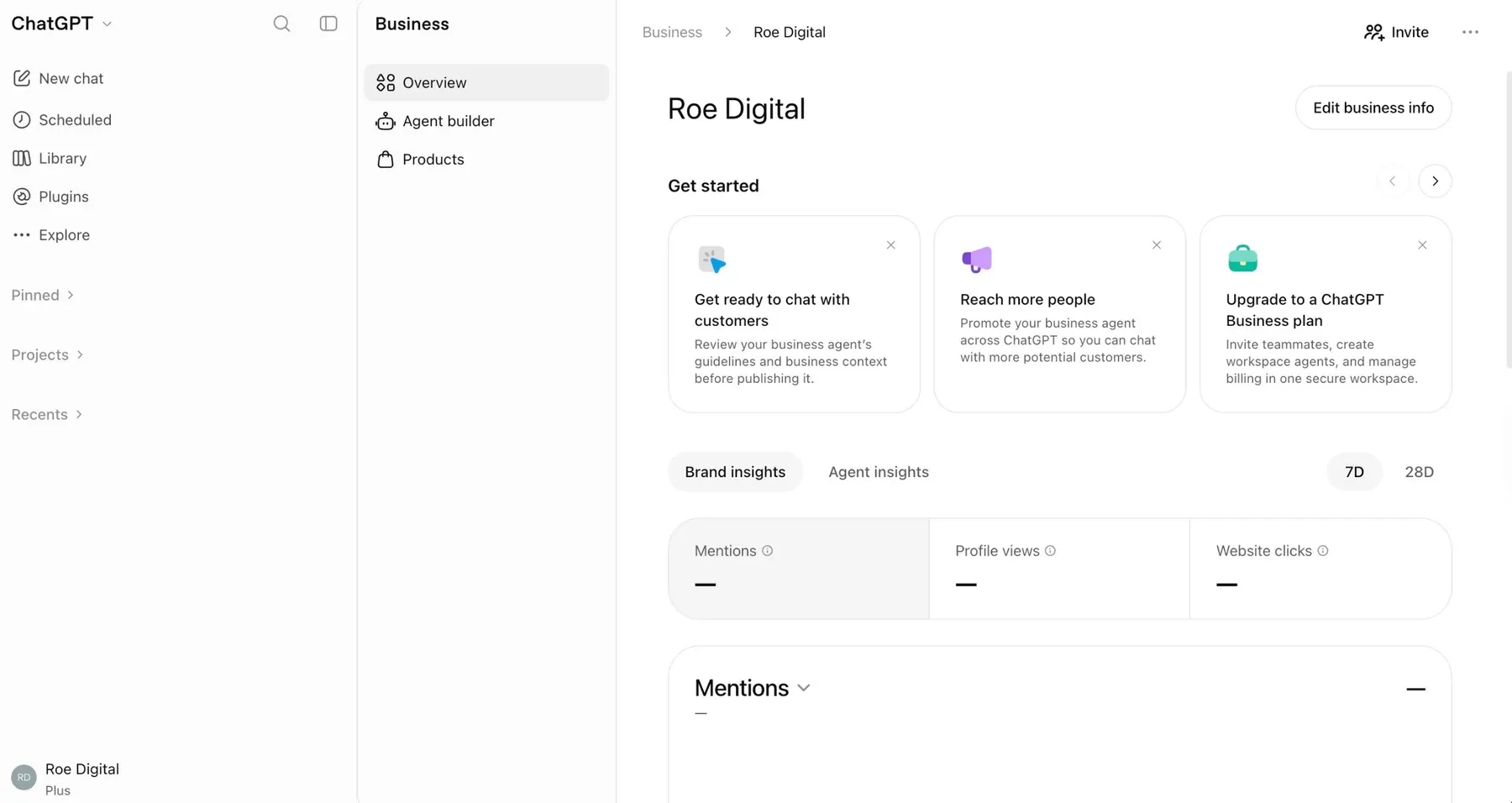
OpenAI describes its reporting as aggregated information. Businesses do not receive individual users’ conversations. A dash does not necessarily mean zero activity; reporting may be unavailable, still being collected, or below the required threshold.
It’s too early to say whether the profile is bringing Roe Digital more traffic or inquiries. We’ll be watching those numbers as data starts to come in.
Do you need a Business Agent or ChatGPT Ads?
No. Managing a profile, publishing a Business Agent, and advertising are separate.
Our confirmation screen also promoted a Business Agent and an advertising credit. Even after our profile was verified, the agent builder was not available in our account. The screen said the feature was gradually rolling out to different types of businesses. We did not have an availability date.
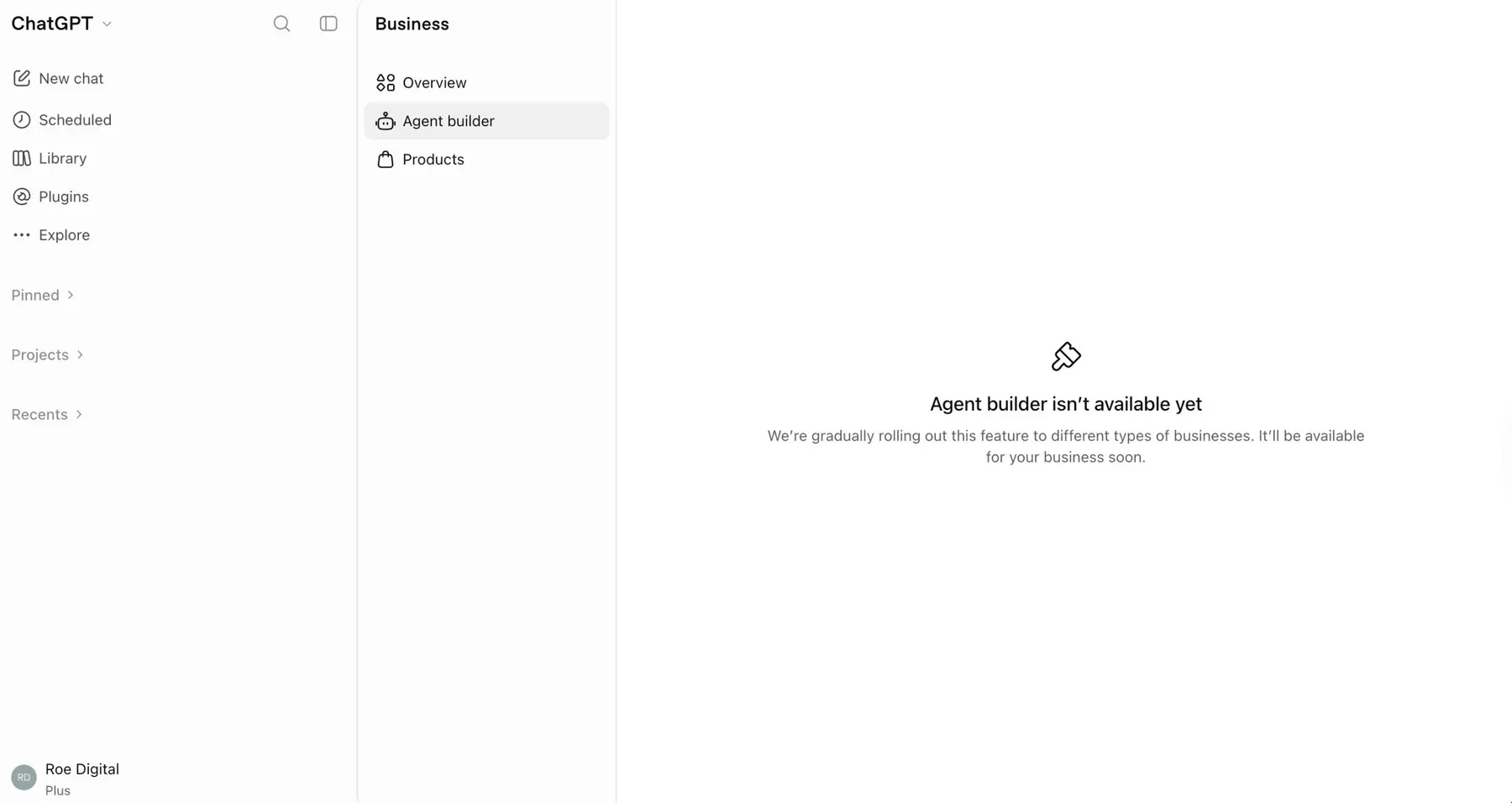
A Business Agent can answer questions using information supplied by an eligible business. I would start with the profile and evaluate that feature separately if it becomes available.
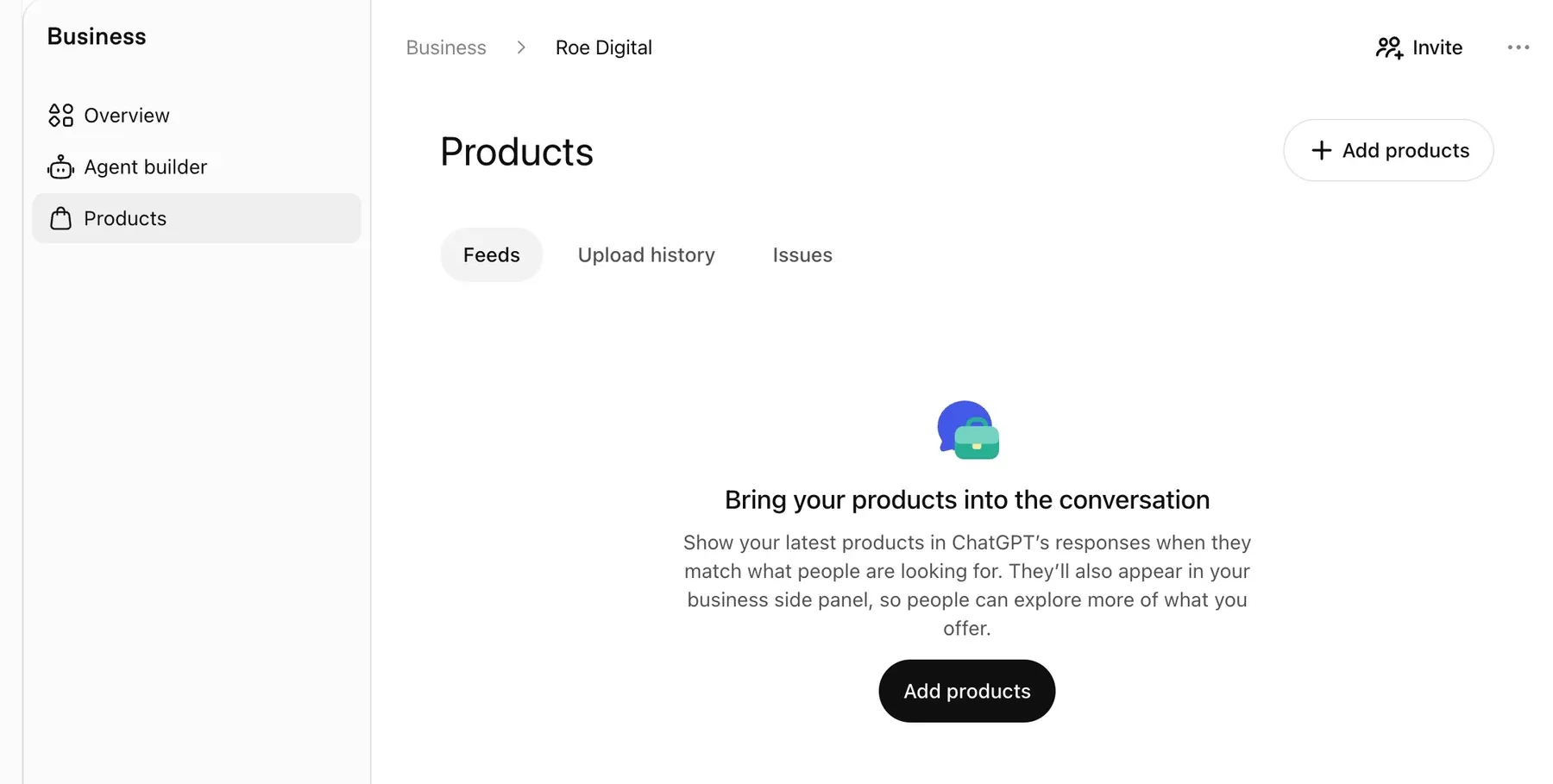
Retailers can also supply product feeds with details such as pricing and availability. That does not guarantee their products will be recommended.
Will a ChatGPT business profile help people find your business?
Claiming a profile does not guarantee more mentions, higher placement, or additional sales.
What it does provide is a way to submit current business information. ChatGPT can already mention businesses that have not claimed a profile, and it can continue using other sources when answering questions.
Updating a profile does not give you control over every answer about your company. Changes are reviewed and may take time to appear.
For now, I see this as another part of maintaining our online presence. We want our business information to be accurate, and we want to see whether the reporting becomes useful. We’ll update this post once we have enough data to judge.
Should you claim yours?
I think it is worth checking whether your business is eligible and reviewing what the setup requires.
Be prepared for identity verification. Read the information presented before submitting your documents, and make sure the person applying is authorized to represent the business.
For the profile itself, keep the description straightforward. Explain what you do and who you serve. Use accurate contact details and link to a website that clearly describes your services.
Need help claiming your ChatGPT business profile?
Roe Digital can help with domain verification, choosing a category, writing your description, and reviewing your business details. The person completing identity verification will need to handle their own ID submission and any face scan requested.
We are testing this with our own business before making broader recommendations to clients. As useful reporting becomes available, we’ll have a better idea of how it fits into our ongoing marketing work.
Contact Roe Digital if you would like help getting started.
Sources
- OpenAI: Introducing Businesses in ChatGPT
- OpenAI: Businesses in ChatGPT
- OpenAI Help Center: Setting up your business on ChatGPT
- OpenAI Community: Business Hub Persona verification failed, no reason shown
- OpenAI Community: Transferring a Business Hub profile from a personal to a corporate account
- OpenAI Community: Introducing Businesses in ChatGPT in beta (DNS verification window discussion)
Features and eligibility described here reflect information available November 13, 2026.
Frequently asked questions
Can I move my business profile from my personal ChatGPT account to a company account later?
Not easily. We did not see an option to transfer ownership, and people on the OpenAI Community forum who claimed with a personal account report the same. Before you start, sign in with the account the business should own long term. The person who claims the business can add teammates and give an agency access later, each using their own ChatGPT account.
My Persona verification failed and didn't say why. What can I do?
Several business owners on the OpenAI Community forum report getting a failure email with no explanation and no obvious way to retry. Follow any instructions in that email, and contact OpenAI support through help.openai.com if you can't try again. Use a valid government ID and good lighting. Some of the failures people described happened after switching devices partway through, so it may help to finish the whole check on one device.
Why did my DNS verification expire before my record showed up?
Forum users report that the DNS verification record is only valid for about 30 minutes, and some DNS providers take longer than that to publish a change. Have your DNS login ready before you start, and add the TXT record as soon as Business Hub gives it to you. Ours was confirmed almost immediately. If yours keeps expiring, use another verification method offered for your business, such as phone or email.
My business isn't listed. Why can't I add it?
During the beta, local stores and restaurants can only claim an existing U.S. listing. Early testers trying to add a new business report that the physical location option leads to a waitlist and the service option is marked Coming soon. Online businesses currently have the most options.
Should my marketing agency claim the profile for me?
We recommend the business claim it with an account the business controls, then give the agency access. The person who claims the business is the one who can add teammates and agencies, so ownership should stay with you. That's how we recommend our own clients set it up.